Choosing an outfit starts with knowing what is already in the wardrobe. I explored how capture, visual browsing and a calendar could make those clothes easier to organize and plan around.
The design challenge
Who it is for
People choosing everyday outfits from clothes they already own.
The central task
Build a visible clothing library, consider an outfit and plan ahead.
The design tension
The wardrobe becomes useful after clothes are added, so setup effort matters as much as the daily home screen.
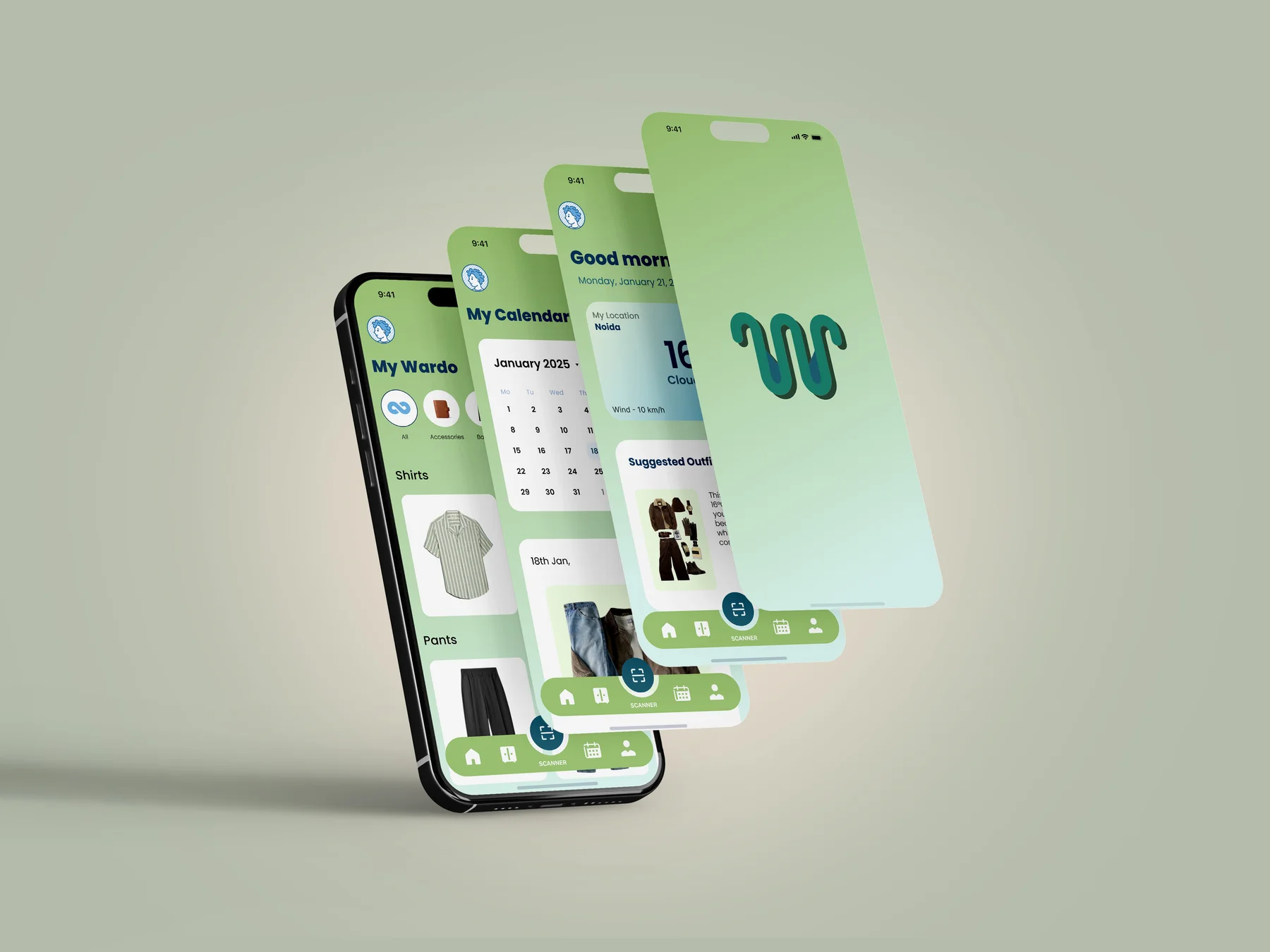
One wardrobe, several ways to use it.
Capture supplies the clothing library. Browsing, suggestions and planning then serve different moments of the same routine.
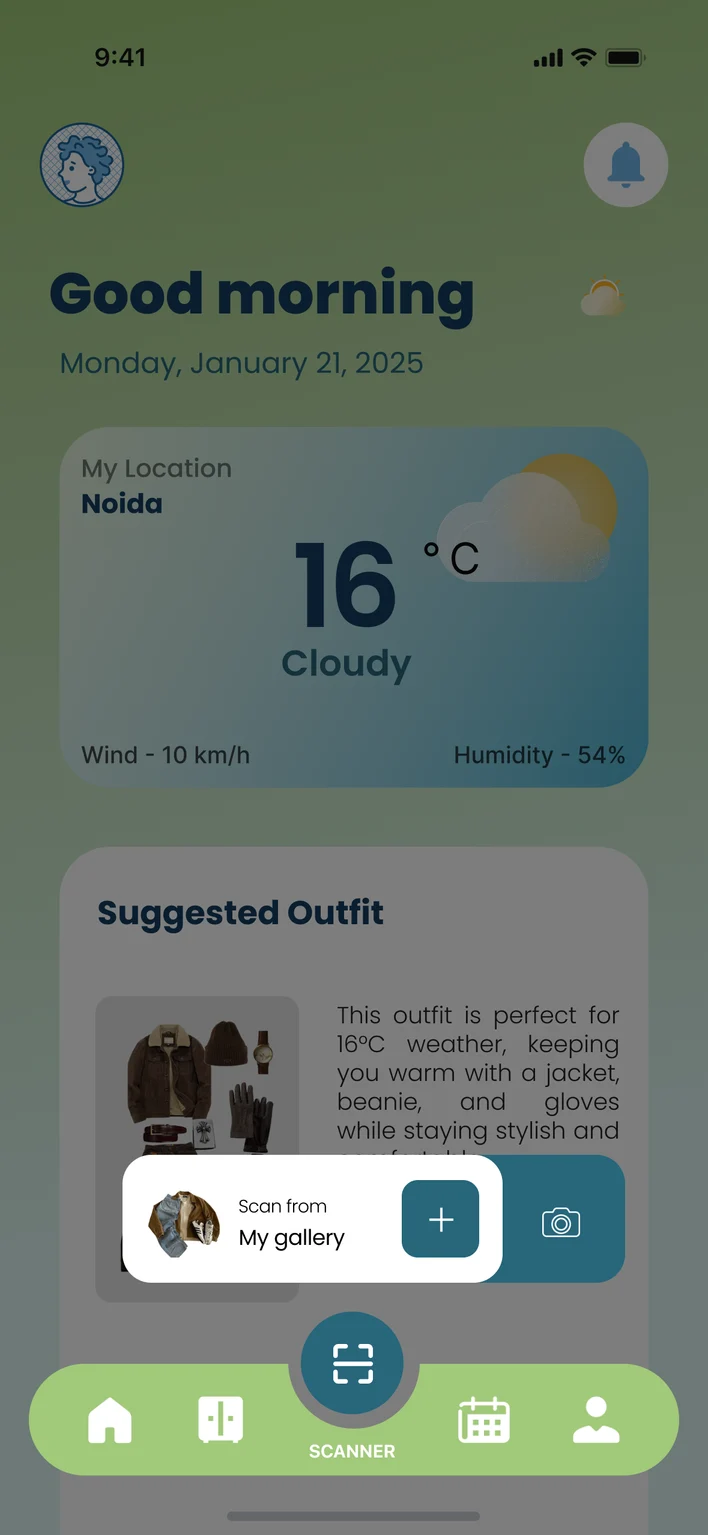
Add — Camera or gallery entry starts from the central scanner action.
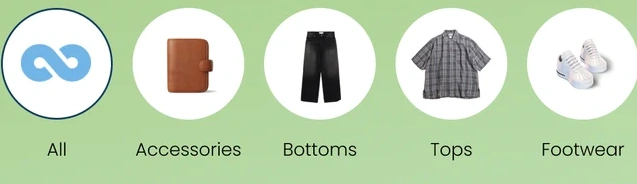
Organize — Clothing photographs are grouped by familiar garment categories.
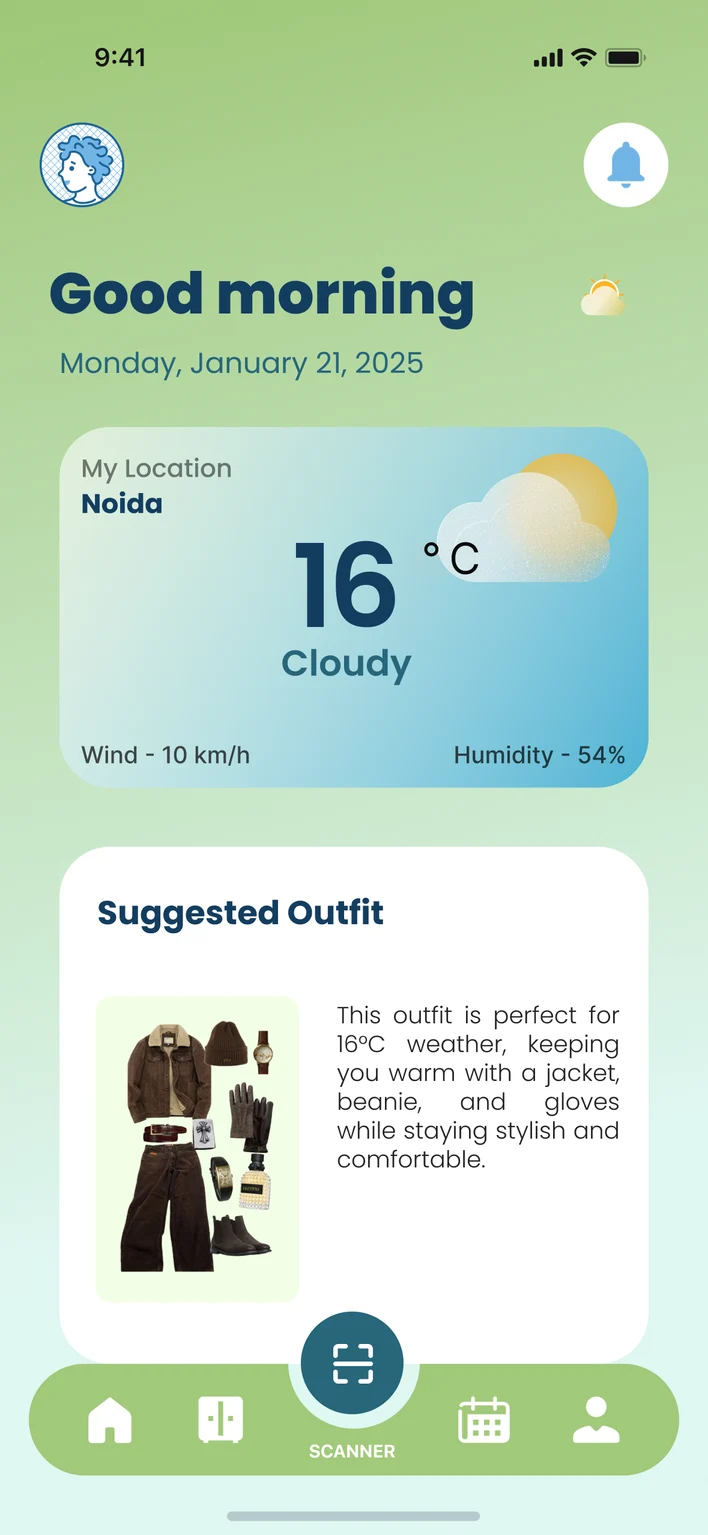
Choose — Home pairs weather information with an example outfit suggestion.
Plan — The calendar gives a selected outfit a place in the week.
Screen relationships in the app concept.
Different habits, connected decisions.
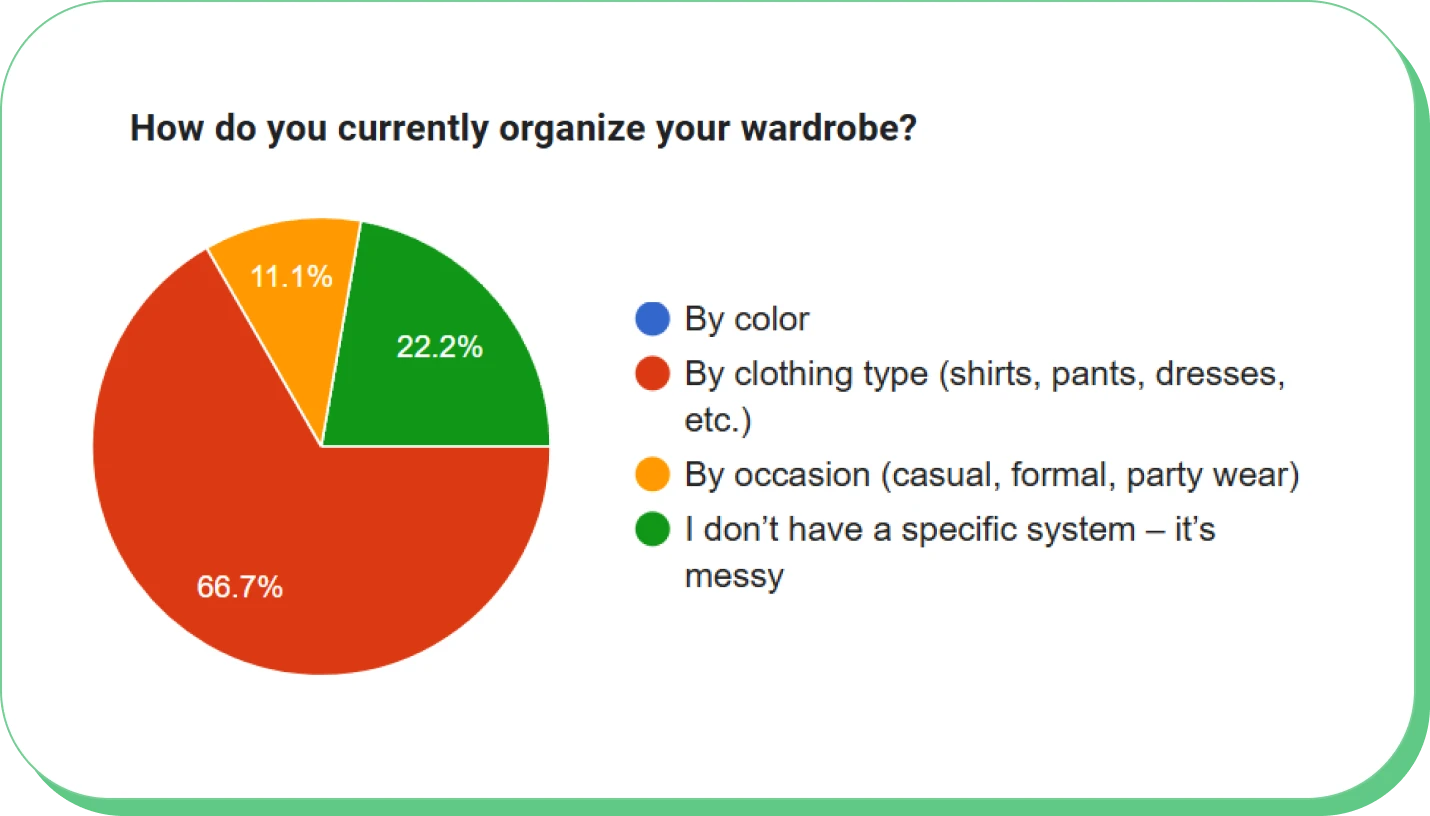
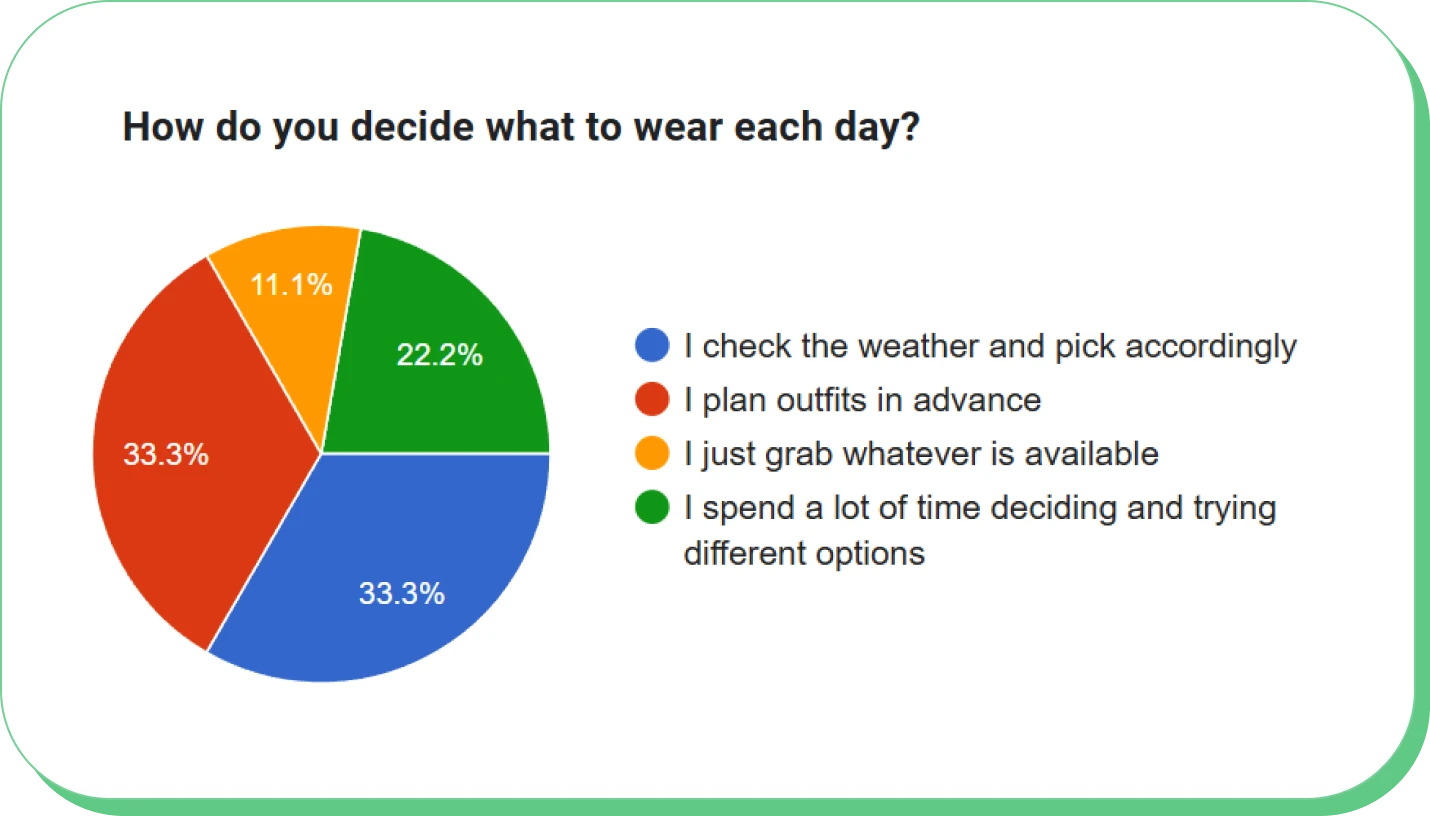
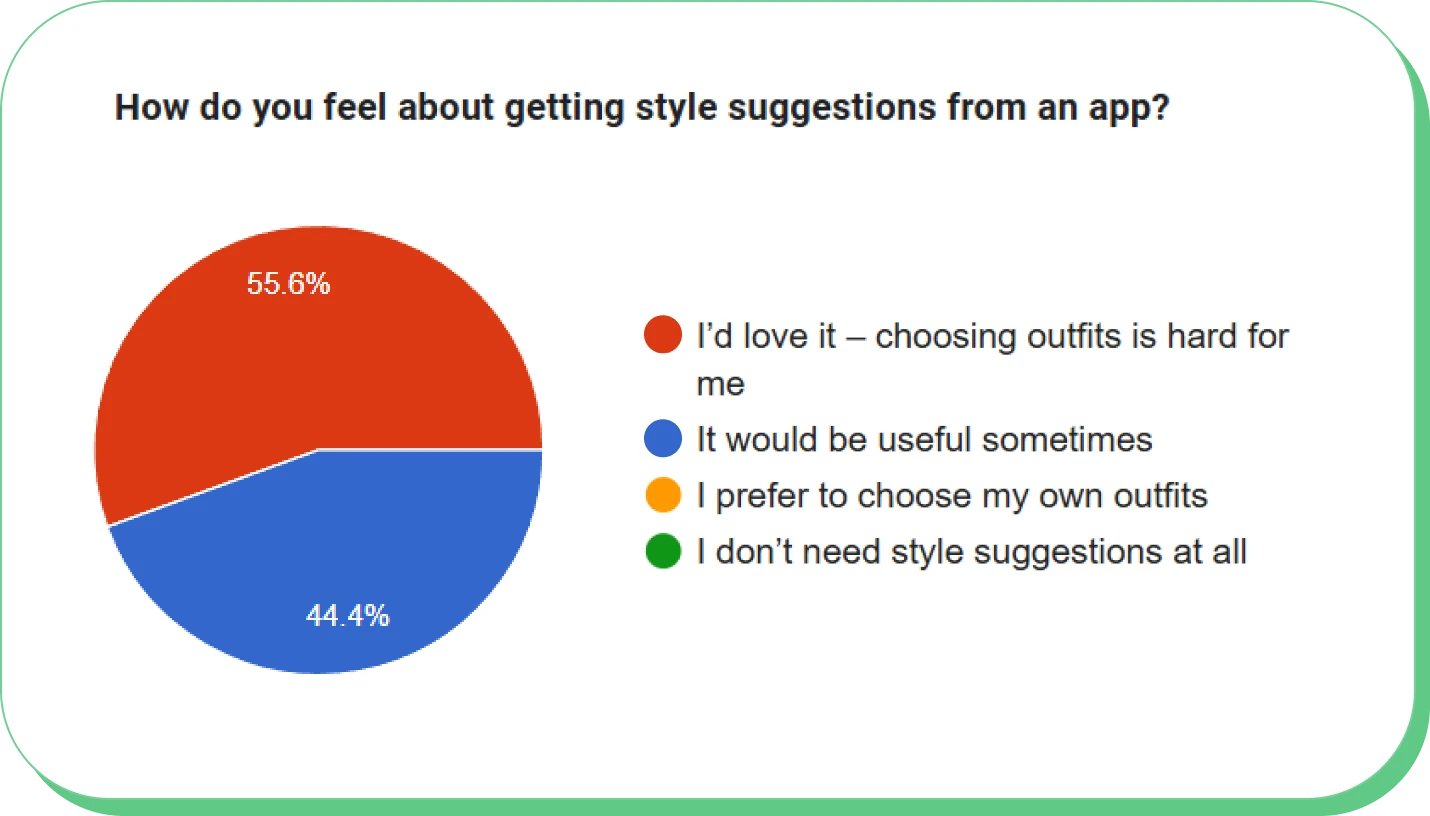
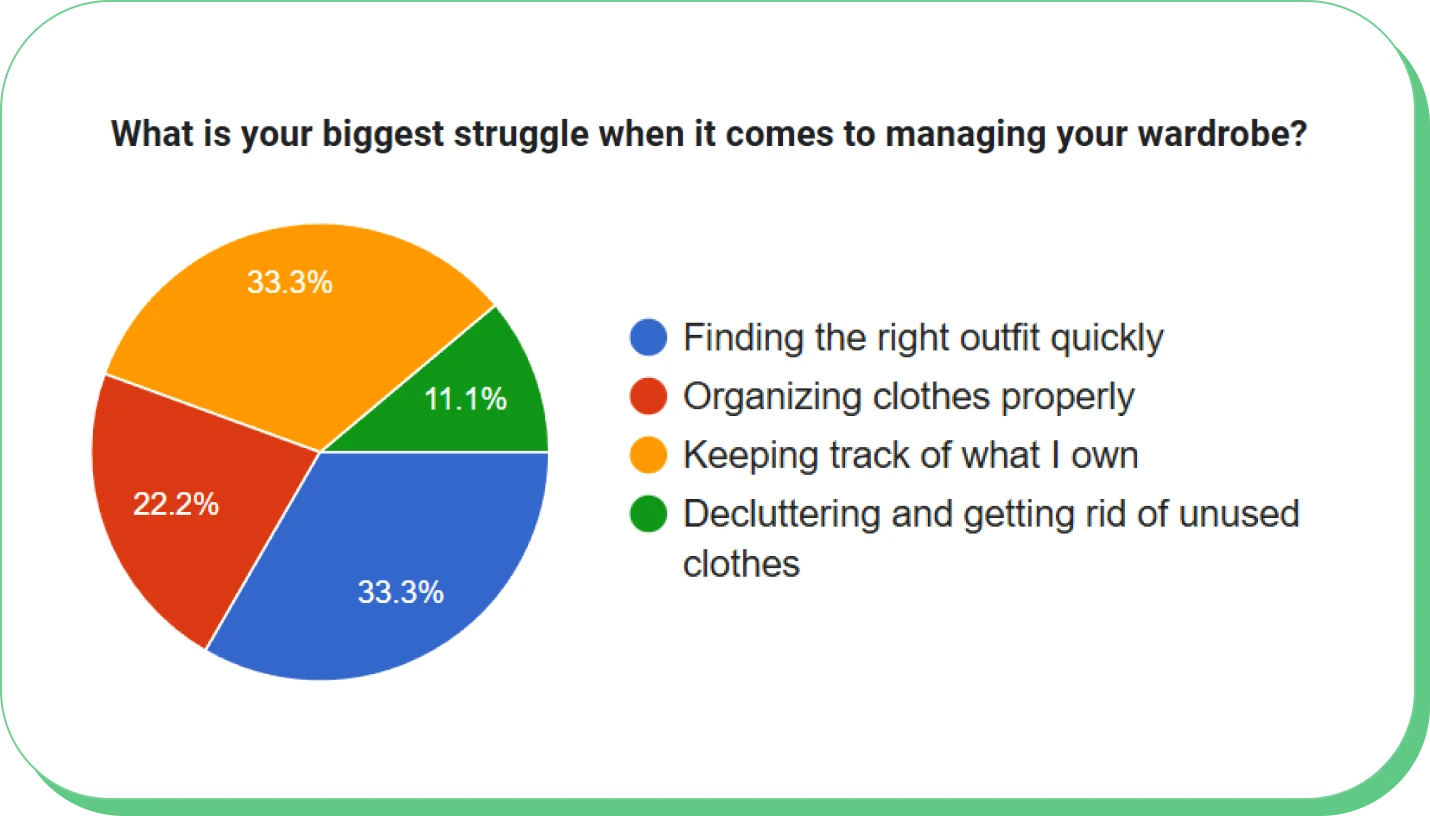
The questionnaire explored how people organize clothes and choose an outfit. Clothing type, weather and advance planning emerged as useful starting points for the concept.
How do you organize your wardrobe?
By clothing type66.7%
No specific system22.2%
By occasion11.1%
By colour0%
Clothing type provides a familiar starting point for browsing.
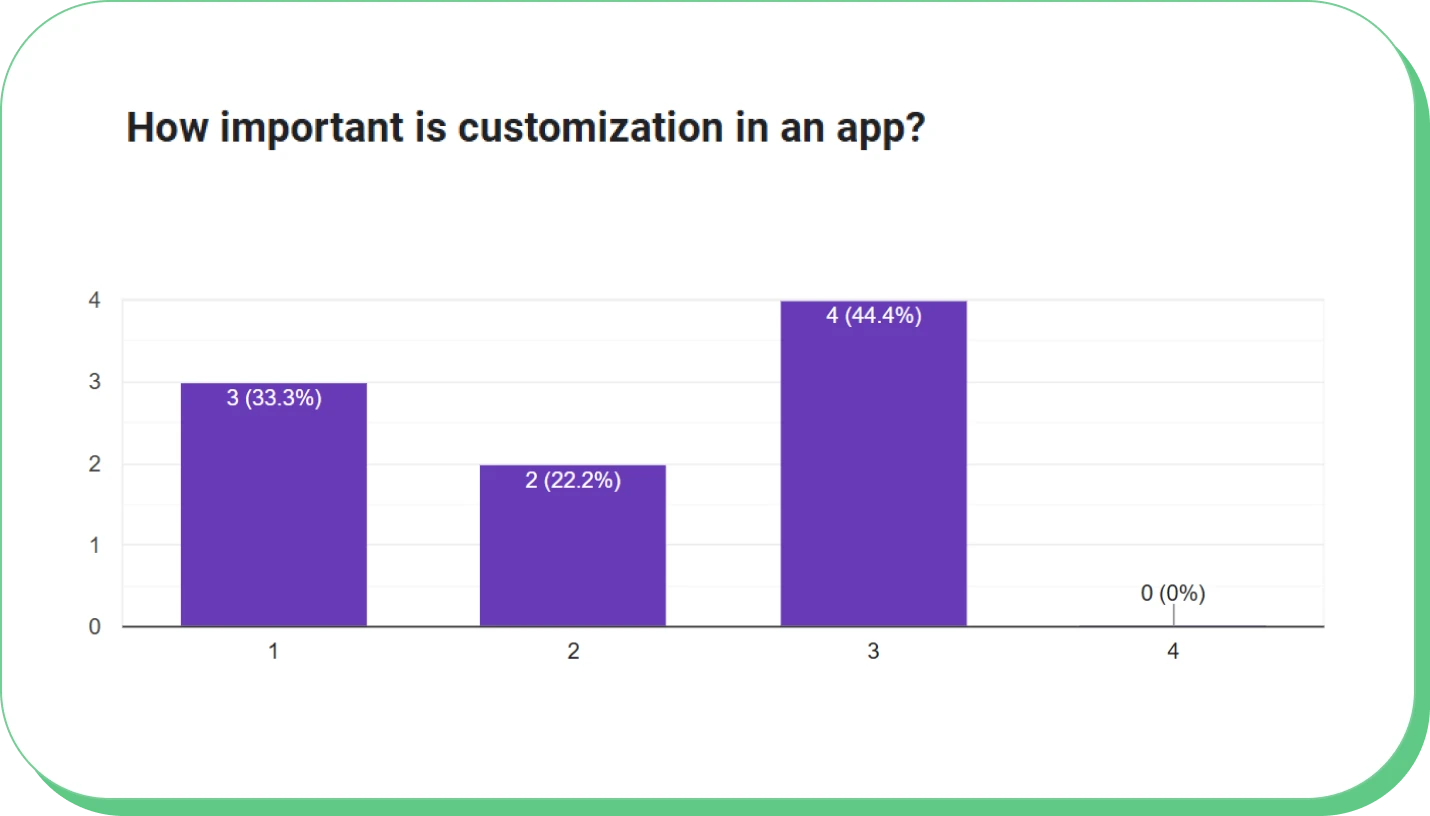
Original questionnaire, self-reported habits. The customization export records 9 responses. The other exports show percentages without per-question counts; recruitment and participant details were not retained.
Redrawn from the original exports. Bars share a 0–100% scale. Published percentages retain their original rounding.
Design decisions
Keep adding clothes within reach.
The central capture action opens camera and gallery choices from the main navigation. Clothing photographs then become the basis of a category-led wardrobe, connecting the effort of adding an item to a visible library.
Capture entry and the wardrobe it feeds. Camera and gallery entry connect to a category-based library.
Support today’s choice and next week’s plan.
Weather gives the home-screen suggestion a reason someone can judge. The calendar provides a separate place for planning ahead, while the wardrobe remains available for people who prefer to choose for themselves.
The home screen pairs weather with an example outfit; the calendar connects a selected date to an outfit preview.
A clothing library with a recognizable language.
Mint and green hold the wardrobe together, while dark blue gives headings definition. White content areas separate garment photographs from the surrounding colour.
Poppins
Rounded headings and a consistent sans-serif reading style carry from onboarding into the daily interface.
Colour roles: Mint, Leaf, Teal, Navy.
Components in context
Category navigation
Photographic category circles connect labels with the garments people recognize.
Weather context
Location, temperature and conditions give the outfit suggestion a visible context.
Persistent capture entry
The scanner occupies the centre of the shared bottom navigation.
Photographic categories, weather context and the central scanner recur across the wardrobe experience.
Suggestions need an explanation—and a way around them.
Weather gives a recommendation some context, but it cannot establish whether the outfit suits the person. The clothing library remains useful independently of suggestions; capture effort and control over unsuitable recommendations are the next questions to evaluate.
One identity across the everyday wardrobe.
I developed the hanger-inspired W identity and a twelve-screen app concept covering onboarding, capture, wardrobe browsing, suggestions and outfit planning. The project connects the initial effort of adding clothes to a library that can be browsed and used in more than one way.
Reflection & next questions
Capture effort is the key first-use question: how much work happens before the wardrobe feels useful? I would evaluate that journey alongside calendar clarity and control over unsuitable suggestions.